WaterCal

Low-friction water and calorie tracking for iPhone and Apple Watch.

WaterCal

Tracking without the chore.

Log water and calories in seconds, see your daily totals, and get on with the rest of your day.

iPhoneApple WatchWidgetsNo accountOne-time purchase

Download on the App Store

WaterCal app icon

Daily progress

Two goals. One glance.

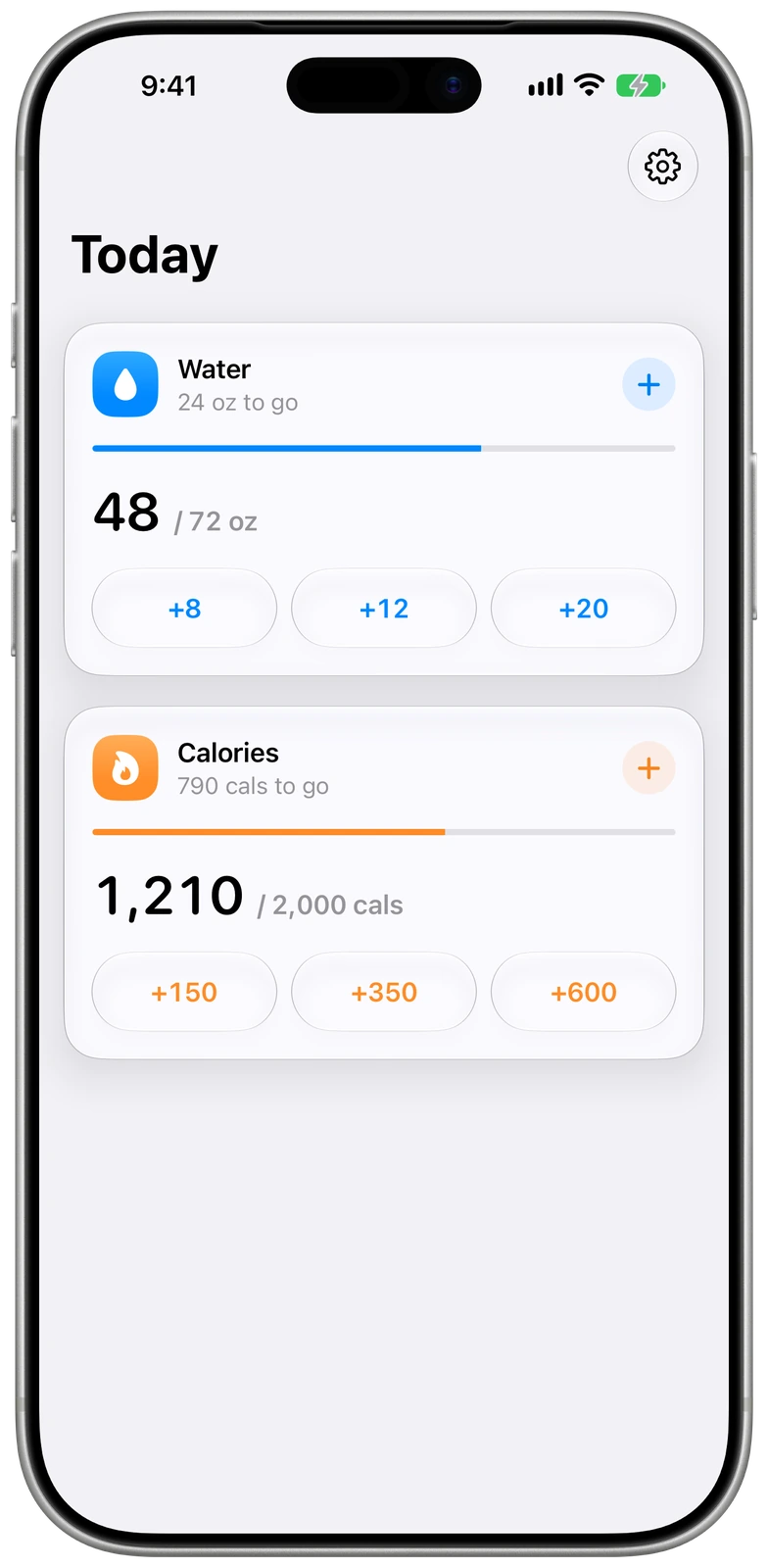
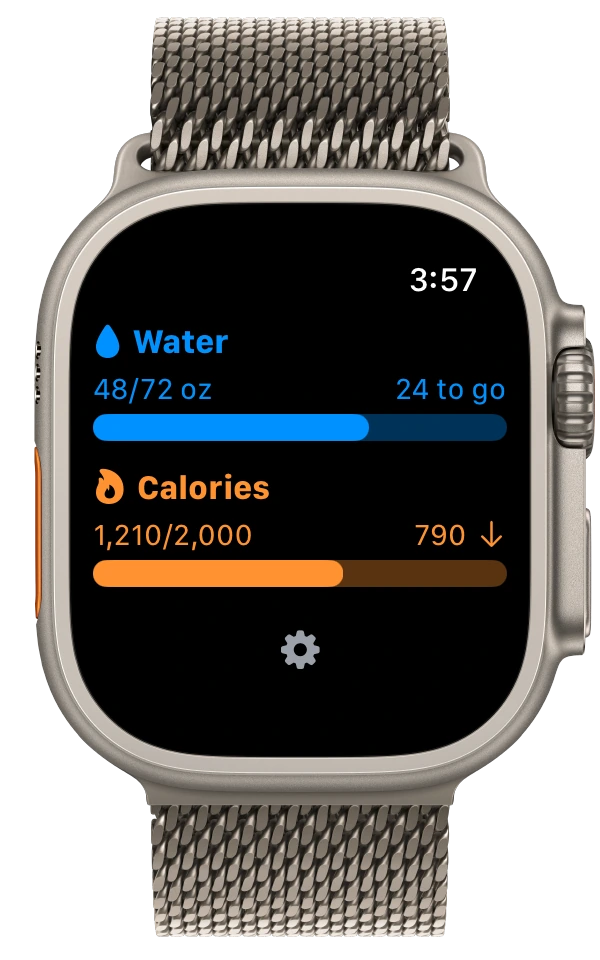
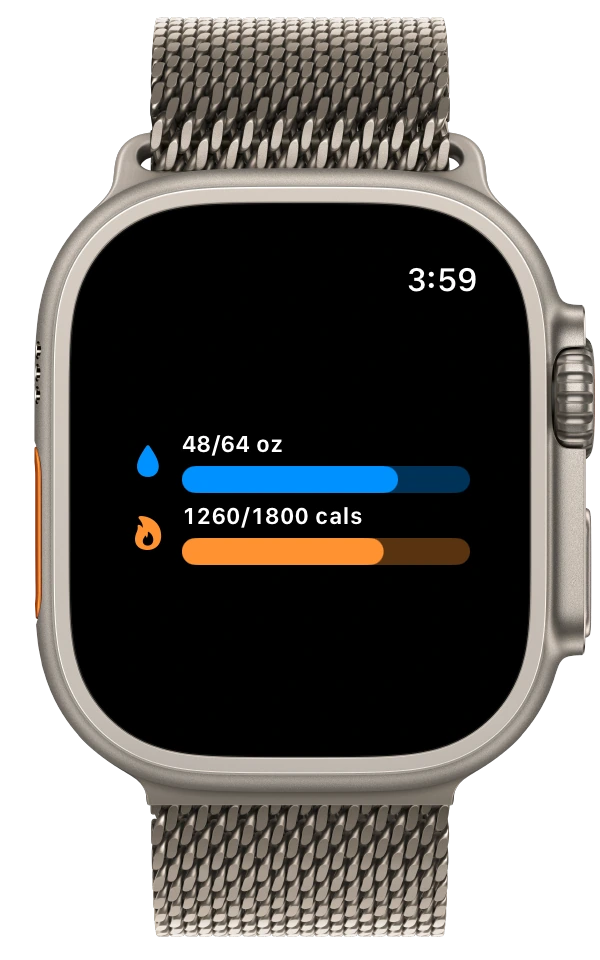
See water and calories together, with clear totals, progress bars, and the amount remaining for the day.

WaterCal daily water and calorie progress on iPhone

WaterCal daily water and calorie progress on Apple Watch

Quick logging

Log it while it is fresh.

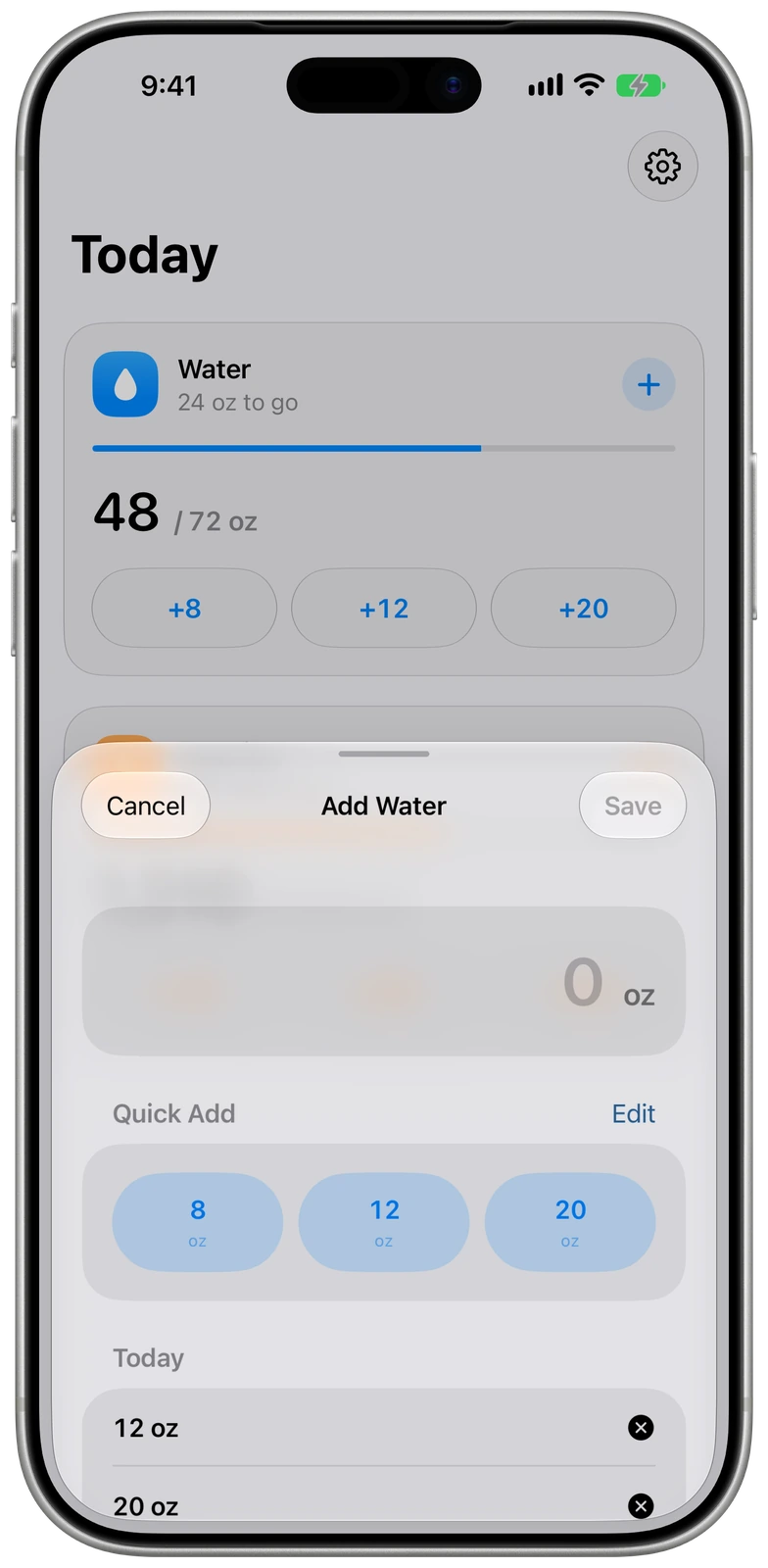
Use your own quick-add amounts or enter an exact value. Today’s entries stay visible, so an accidental tap is easy to remove.

Adding water with customizable quick amounts in WaterCal on iPhone

Adding water in WaterCal on Apple Watch

The same simple flow

Keep the number uncomplicated.

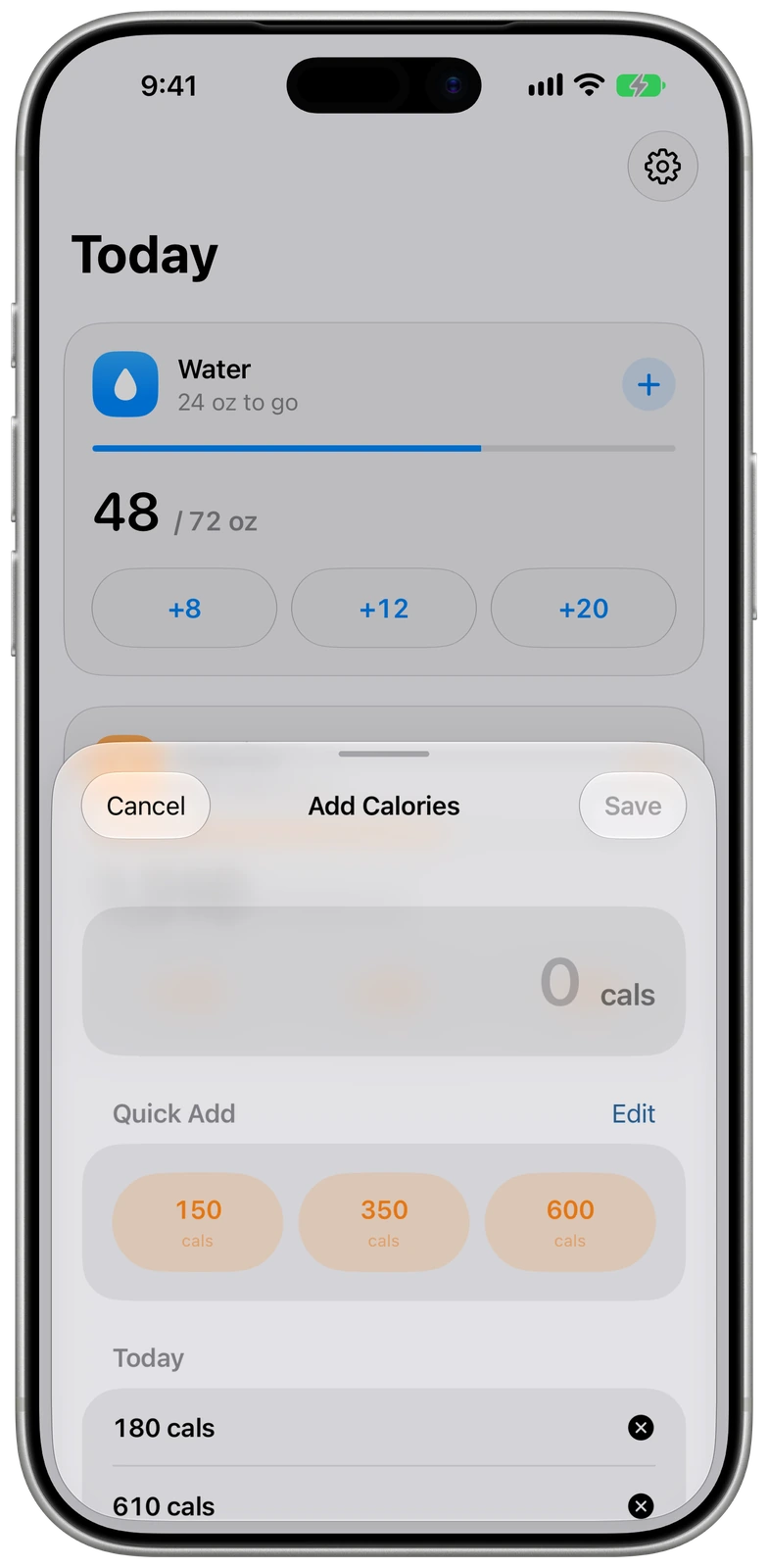
Add calories with presets that match the amounts you use most often, or enter the number directly. No food database and no extra ceremony.

Adding calories with customizable quick amounts in WaterCal on iPhone

Adding calories in WaterCal on Apple Watch

Your defaults

Set it up for your day.

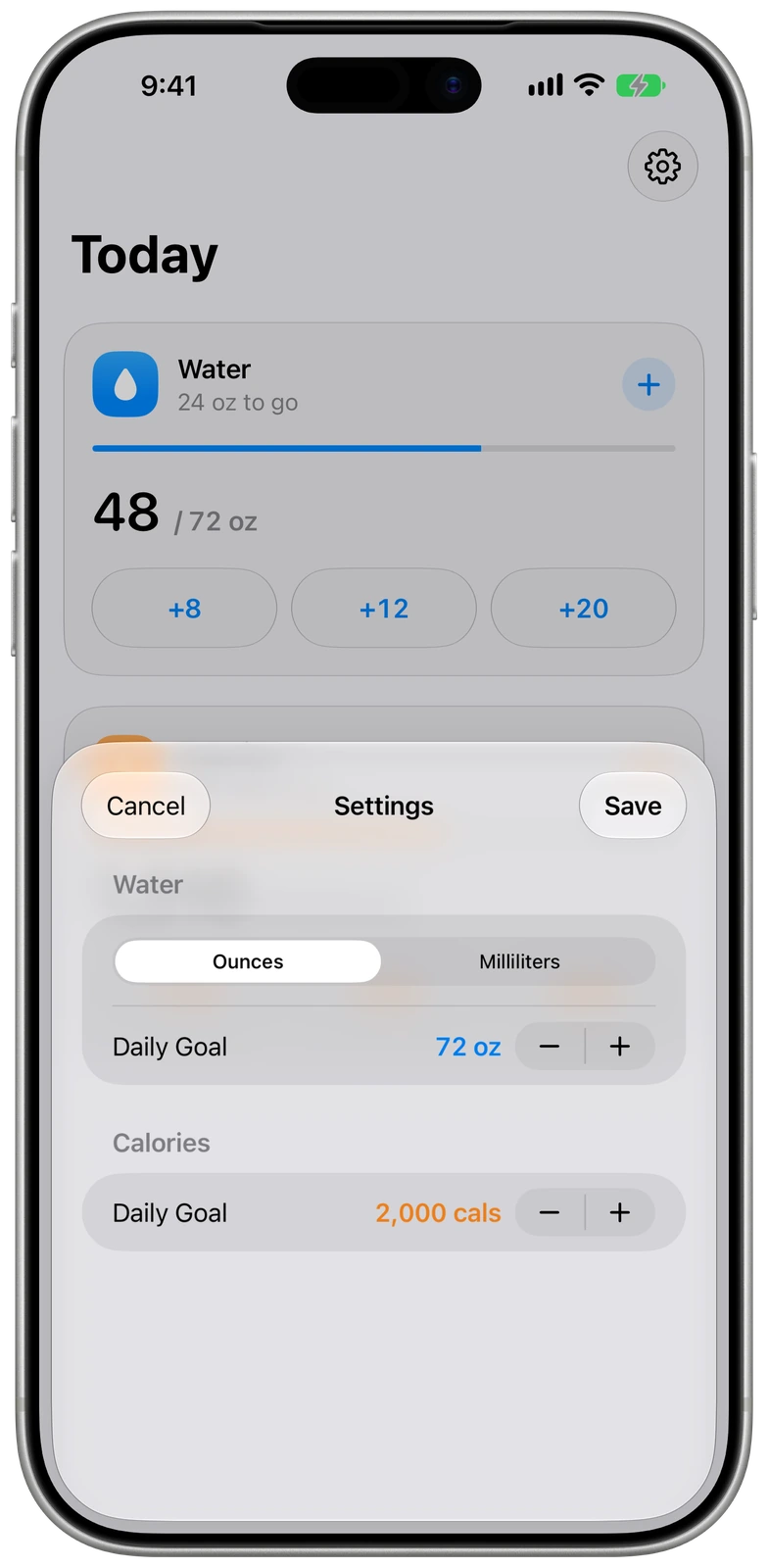
Choose ounces or milliliters, set daily water and calorie goals, and customize the quick amounts that make logging fastest for you.

Water units and daily goals in WaterCal settings on iPhone

WaterCal settings on Apple Watch

Progress without another app visit

Your totals stay glanceable.

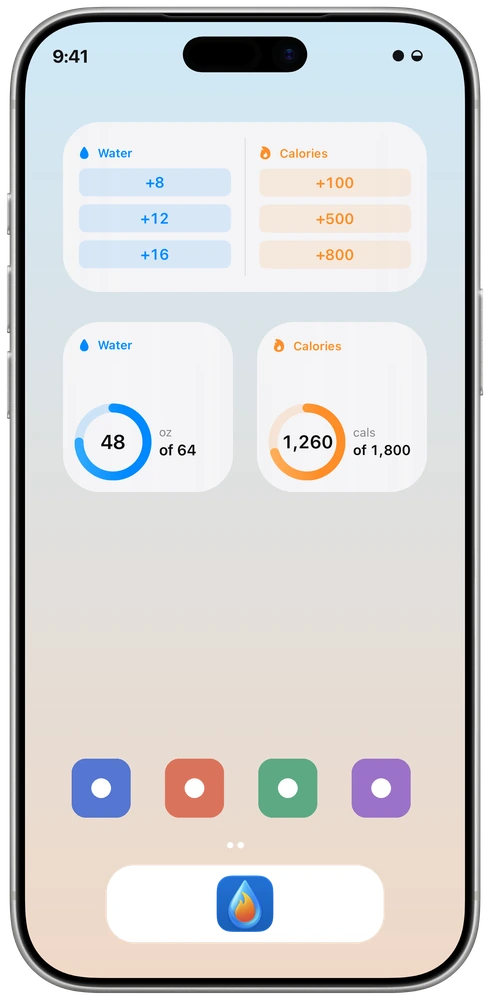
Home Screen widgets keep both goals visible and provide quick logging controls. Apple Watch complications put the same progress directly on the watch face.

See it. Log it. Keep moving.

Use focused water or calorie widgets, a combined progress view, or quick-add controls for the amounts you log most often.

iPhone Home Screen

WaterCal quick-log, water, and calorie widgets arranged on an iPhone Home Screen

Progress built into the watch face

Choose a compact ring or a more detailed summary for water, calories, or both goals together.

Apple Watch face options

Combined WaterCal progress ring complication on Apple Watch Progress rings

Detailed combined WaterCal progress complication on Apple Watch Detailed totals

Just enough tracking.

WaterCal focuses on two everyday numbers and removes the machinery of a full food diary. Open it, log an amount, and move on.

Custom quick amounts

Choose three useful presets for water and three for calories, then log common amounts with one tap.

Correct individual entries

Today’s additions remain visible in the entry sheet. Remove the specific amount that was wrong without resetting the rest of your day.

iPhone and Watch together

Log from either device. WaterCal reconciles entries from iPhone and Apple Watch so additions made while disconnected are not simply replaced.

Widgets and complications

Keep water, calories, or both visible on the Home Screen and Apple Watch. Quick-log widgets make common additions even faster.

Goals that fit

Set independent daily goals for water and calories, and track hydration in ounces or milliliters.

A fresh day automatically

WaterCal shows the entries and totals for today. When the date changes, the daily view starts clean without a manual reset.

Close at hand

Log from the device you already have open.

Use the full daily view on iPhone or make a quick addition from Apple Watch. Widgets, complications, and quick-log controls keep progress available without another trip through the app.

iPhone Apple Watch Widgets Complications

Your entries stay private

WaterCal does not require an account, and Nicely Dressed Code does not collect your tracking data. Your entries remain on your devices.

Keep the essentials within reach.

WaterCal is available as a one-time purchase on the App Store.

Download on the App Store

Apple, Apple Watch, iPhone, and App Store are trademarks of Apple Inc., registered in the U.S. and other countries and regions.